Four product scenes in one FLUX.1 schnell run
One product anchor, four prompts, one job. How to keep light direction and product scale consistent across a set of listing images.

Related guides
- FLUX.1 schnell product scenes - Six marketplace crops ## Why run four at once
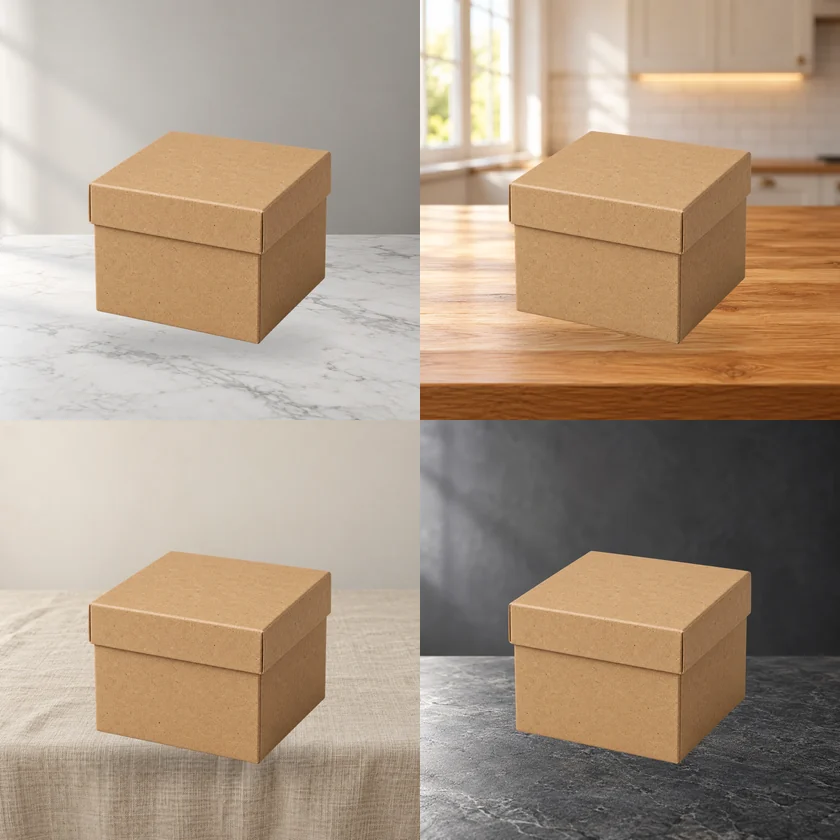
A single scene composite is good for testing one direction. In a real listing, operators usually need several scenes for the same product. Four separate runs let product size, placement and shadow direction drift; the set starts to look like four different products.
This workflow puts four prompts in one job and shares the product matte, position and shadow. The model generates four backdrops; product pixels always come from the same PNG.
How to pair the four prompts
Prefer one key-light direction across all four, changing only surface and environment:
- 1White marble + window light from the left
- 2Warm wood + window light from the left
- 3Beige linen + window light from the left
- 4Dark stone + window light from the left
If one says “window light from the left” and another says “hard top light”, the product looks relit in each frame and the set falls apart.
On the store, those four prompts are built in and there is nothing to type; the recipes below are for editing the downloaded bundle or running the graph yourself in ComfyUI.
Node structure
- One set of FLUX.1-schnell loaders (UNET, CLIP, VAE)
- Four
CLIPTextEncodenodes, one per scene - Four
KSamplernodes sharing the model, different seeds - Four
VAEDecode→ four composite chains - One product matte, repeated four times
- Batch
SaveImagewith scene numbers
The four branches share model loading, so VRAM is not multiplied. That is why it is more stable than four separate runs.
Output and selection
One job returns four 1024×1024 images. Judge the set, not a single frame:
- Is product scale consistent?
- Is shadow direction consistent?
- Do the four images share one color temperature?
- Does any product edge have a white fringe?
If one frame fails, rerun only that prompt. Do not rerun the whole set and burn credits.
Cost and limits
Four branches in one job cost roughly 2–3× the GPU time of one scene, but far less cold-start and scheduling overhead than four separate jobs.
It is not a queue manager: 20 products still mean 20 jobs. True batch scheduling, retries and a progress dashboard are a later product.
Next step
After the set passes, run the crop workflow for marketplace sizes. Do not crop inside each scene, or the margins will diverge.
Four prompt recipes that stay consistent
The prompts below share one key light from the left. Replace the surface and the background, not the light:
- 1
white marble tabletop, soft window light from the left, neutral studio wall, shallow depth of field, no product - 2
warm oak counter, soft window light from the left, blurred kitchen shelves, shallow depth of field, no product - 3
beige linen tabletop, soft window light from the left, quiet neutral wall, shallow depth of field, no product - 4
dark grey stone slab, soft window light from the left, moody grey wall, shallow depth of field, no product
Keep “no product, no text” in every prompt. Without it, FLUX may draw a second object or a label, which fights the composited product.
How to QC the four-image set
Open the contact sheet at 50% and scan in this order:
- Silhouette: the product must have the same outline in all four frames.
- Scale: the product should occupy roughly the same share of the canvas.
- Contact: the shadow should touch the base, not float below it.
- Color: the four frames should feel like one shoot, not four stock photos.
- Text: if the product has packaging, zoom to 100% and check that no letter has been softened.
If one frame fails, note the failed prompt and rerun only that branch. A full rerun changes all four seeds and makes comparison harder.
What to do when one prompt fails repeatedly
A single prompt that consistently clips the product or produces a busy background is usually too vague. Add a surface, a light direction and a depth cue. If it still fails, replace that scene with a simpler surface; four coherent frames beat four ambitious ones.
Related guides
Related reading
- Workflow: Marketplace crop pack: Amazon, Etsy, Shopify and OG in one run
- Workflow: White canvas pack: fit any product into a clean marketplace frame
- Workflow: Four product scenes in one FLUX.1 schnell run
- Guide: One product photo, six marketplace crops: Amazon, Etsy, Shopify and OG
- Guide: Fit any product into a white marketplace frame without cropping
Workflows used in this guide
Check the version's test records and delivery status. Online trials are available only when enabled.

Product scene compositor: FLUX.1 schnell backgrounds, unchanged product pixels
Upload a transparent product PNG and a scene prompt. FLUX.1 schnell generates three backdrops; the product is composited from its alpha, so labels and logos are never redrawn.
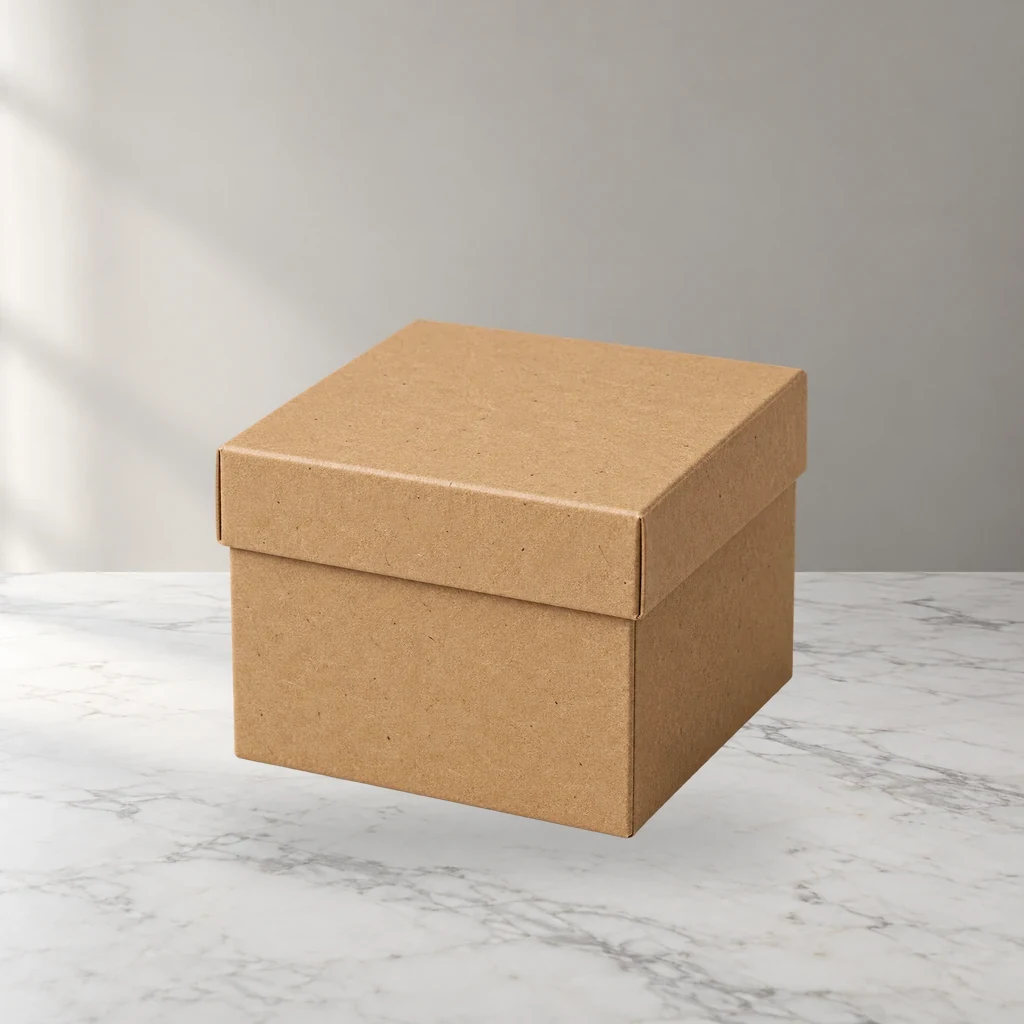
Four product scenes in one FLUX.1 schnell run
One product matte, four scene prompts, one ComfyUI job. Shared product position and shadow; four listing-ready outputs.

Marketplace crop pack: Amazon, Etsy, Shopify and OG in one run
Turn one square product master into six canvas presets for listing review. Core ComfyUI nodes only, no model download. Check each platform before upload.
Keep reading
Fit any product into a white marketplace frame without cropping
Portrait, square and landscape shots all need the same clean square canvas. Learn a fit-and-pad workflow that keeps the whole product and adds a real safe margin.
FLUX.1 schnell product scenes without regenerating the product
Generate the set, composite the real product, and ground it with a contact shadow. A clean-room workflow that keeps packaging text and logos pixel-identical.
Product relight: matching a cutout to the scene light
A low-denoise FLUX.1 schnell pass masked by the product alpha, with the original alpha reattached. Where the safe range is, and when not to use it.